
Ideafex makes this page; we've tried to be fair.
For years, the Pocket button sat in a great many Chrome toolbars: click it, and the page was saved to read later. That button has stopped working, and plenty of people still have it installed. This guide explains what happened, what to do with the old extension, and which Chrome extensions replace it today, depending on what you used Pocket for.
We make one of the extensions below, Ideafex, and we have tried to be fair. Facts about other apps come from their own pages, linked in the text and checked on 16 November 2026.
What happened to the Pocket Chrome extension?
Mozilla announced on 22 May 2025 that Pocket would shut down (Mozilla's announcement). Mozilla shut Pocket down on 8 July 2025. Exports stayed open until 12 November 2025, after which user data was permanently deleted (Mozilla's Pocket support page). Pocket's own farewell page confirms that the shutdown covered "the Pocket Web, Android, iOS, and macOS apps, as well as the Pocket browser extensions" (Pocket's farewell page).
The export window closed on 12 November 2025. If you did not export in time, your Pocket saves cannot be recovered, by Mozilla or by any replacement extension. Any extension that claims to restore an old Pocket list without an export file is not telling the truth.
Should you remove the Pocket extension from Chrome?
Yes. It no longer saves anything, and leaving it installed keeps a dead button in your toolbar and a dead entry in your right-click menu. Removing it takes a few seconds:
- Type chrome://extensions in the address bar and press Enter.
- Find the Pocket card and click Remove, then confirm.
Google's Chrome Web Store help on managing extensions shows the same steps, including how to remove an extension from the puzzle-piece menu in the toolbar.
What did the Pocket extension do that you need to replace?
Most people used the extension for one or two of these jobs. Knowing which ones matter to you narrows the choice quickly.

- One-click save of the current page. The toolbar button and a keyboard shortcut saved whatever you were reading.
- Right-click save of a link. Save an article from a list of links without opening it.
- A clean reading view. Pocket stored a copy of the article to read later without ads, on any device.
- Tags. A small box let you tag a save as you made it.
- Sync to the phone. Everything saved in Chrome showed up in the Pocket app.
No single replacement does all five the same way. Readers keep the clean view; bookmark managers keep the organising; save-anything apps keep the sync with your phone.
Which Chrome extensions replace Pocket?
| Extension | Best for | Reader view | Saves from phone apps too | Pocket export import |
|---|---|---|---|---|
| Instapaper | Reading articles later | Yes | Yes, iOS and Android apps | Check its import help |
| Readwise Reader | Reading and highlighting | Yes | Yes, iOS and Android apps | Yes, per Readwise |
| Raindrop.io | Collecting and organising links | Highlights and archive on Pro | Yes, iOS and Android apps | Check its import help |
| Ideafex | Saving links, quotes and screenshots next to phone saves | No | Yes, from any app's share sheet | No |
| Chrome Reading list | A free, built-in queue | Reading mode in the side panel | Synced Chrome only | No |
Our Pocket alternatives guide compares seven apps in more depth, including mobile apps, offline reading and AI access.
Instapaper: the closest swap for Pocket readers
If you used Pocket to read articles in a clean view, Instapaper is the nearest match. It has a Chrome extension, free unlimited saves and folders, and apps for iPhone and Android, and Premium adds full-text search and a permanent archive (Instapaper Premium). It is built for articles rather than every kind of link.
Readwise Reader: for heavy readers who highlight
Readwise Reader saves articles, PDFs, newsletters, YouTube videos and X threads, with highlighting and offline reading, and its extension works in Chrome (Readwise Reader). It is the one replacement here that says it imports a Pocket export file. There is no free plan, only a 30-day trial.
Raindrop.io: if you used Pocket as a link library
If your Pocket list was more of a library than a reading queue, Raindrop.io organises links into collections with tags and previews. It has extensions for Chrome, Firefox, Safari and Edge, and a free plan with unlimited bookmarks (Raindrop.io). Our Ideafex vs Raindrop.io page compares it with Ideafex.
Ideafex: save from Chrome and your phone to one wall
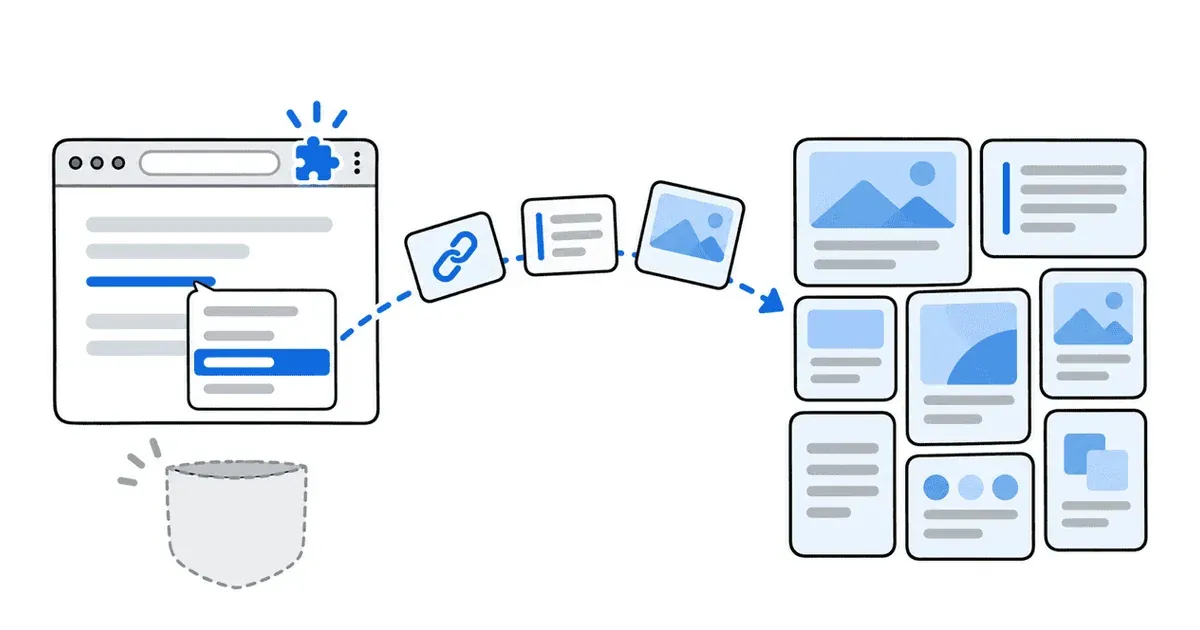
The Ideafex Chrome extension covers the saving half of Pocket and adds a few things Pocket never did:
- Save a link for later. Right-click any link and choose Save link to Ideafex, with a note of your own if you want to remember why.
- Keep a quote. Select text and save it. The page title and link are saved with it, so you know where it came from.
- Save part of a page as a screenshot. Press Alt+Shift+A, drag a rectangle around what you want, and save it with a note.
- Save offline. Saves wait in a local queue and upload by themselves when you are back online.
- Find it on your phone. Everything lands on the same wall as the posts, articles and videos you share from apps on Android and iPhone, and in the web app.
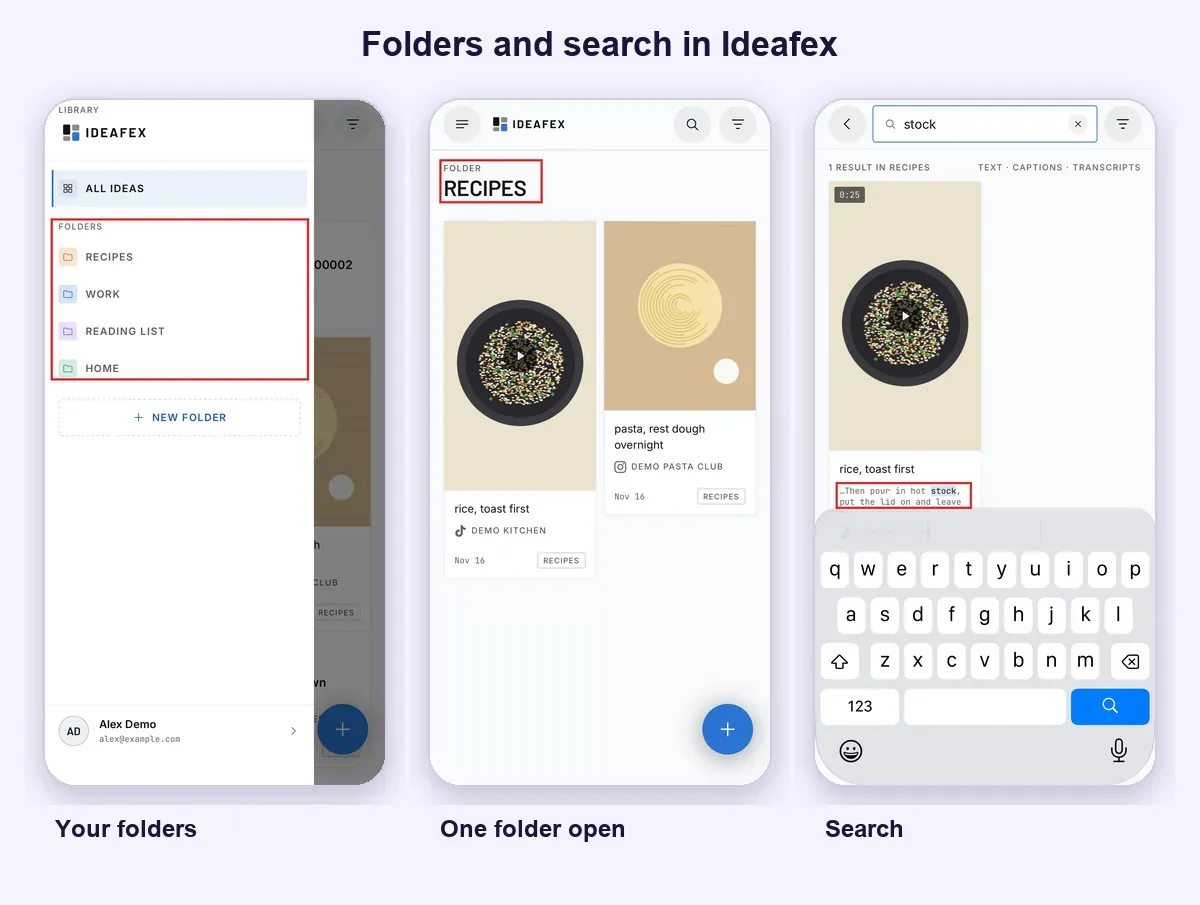
What is different from Pocket: Ideafex saves the link and its title, not a reader copy of the article, and it has no Pocket import and no tags. On Pro it keeps article text where it can fetch it, so search finds words inside saved articles. The extension has no analytics and no ads, and it reads a page only when you choose to save from it. It is on Chrome, Edge and Firefox.
Chrome's Reading list: the free built-in option
Chrome has its own Reading list in the side panel. You add the current page with one click, mark pages as read, and open a simplified reading mode for articles (Chrome Help on reading pages later). It syncs to Chrome on your other devices when you are signed in. It has no folders, no notes and no way to save from other apps on your phone, so it suits a short queue more than a long-term library.
How do you set up a Pocket replacement in Chrome?
Whichever extension you pick, the setup follows the same pattern. Here it is with Ideafex as the example:
- Remove the old Pocket extension from chrome://extensions.
- Add Ideafex to Chrome from the Chrome Web Store, then sign in. Creating an account is free.
- Click the puzzle-piece icon in the toolbar and pin Ideafex, so its button sits where Pocket's used to.
- Right-click a link on any page and choose Save link to Ideafex. Add a note and press Cmd+Enter on a Mac or Ctrl+Enter elsewhere to save.
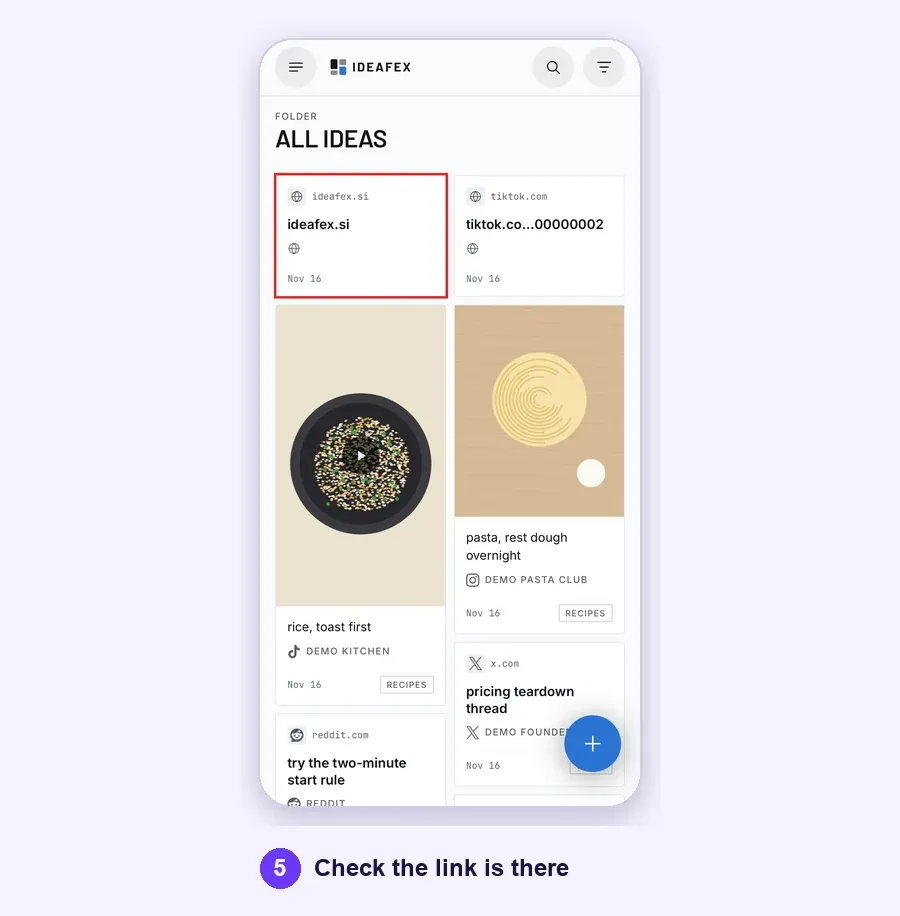
- Open the app on your phone or app.ideafex.si and check the link is there.
Then give it a week. If you find you miss the reading view, add a reader such as Instapaper for long articles and keep the saving app for everything else. Many former Pocket users run exactly that pair.
Which Pocket replacement should you choose?
Pick by the job you used Pocket for:
- Reading articles in a clean view points to Instapaper, or Readwise Reader if you highlight.
- A library of links points to Raindrop.io.
- Saving links and quotes in Chrome next to posts and videos you save from phone apps points to Ideafex.
- If you only need a short queue, Chrome's own Reading list costs nothing.

More background on the category is in our glossary entry on read it later, and the Ideafex home page shows how the wall works across devices.
Quick answers
No. Mozilla shut Pocket down on 8 July 2025, and its farewell page says the shutdown covered the Pocket browser extensions as well as the apps. The extension can no longer save anything.
Yes. It no longer saves, and removing it frees the toolbar slot and the right-click menu entry for its replacement. Open chrome://extensions and click Remove on the Pocket card.
For reading articles later, Instapaper or Readwise Reader. For collecting links, Raindrop.io. To save links, quotes and screenshots from Chrome to one wall you also fill from phone apps, Ideafex.
Only if you exported them in time. Exports stayed open until 12 November 2025, after which user data was permanently deleted (see Mozilla's Pocket support page). If you have the export file, Readwise Reader says it can import it.
Yes. It is free to install from the Chrome Web Store, and you sign in with a free Ideafex account. Pro adds media, article text, transcripts and AI access.
Save from Chrome, find it anywhere
Add Ideafex to Chrome, sign in with a free account and save your first link in two clicks. It lands on the same wall as your phone saves.


Related reading
Ideafex for Chrome: Save Text, Screenshots and Links from Any Page
A Chrome extension that saves selected text, screenshots and image, video, audio or page links to your Ideafex account, with a note, even offline.
Read more →
Pocket Alternatives: 7 Apps to Use Now That Pocket Has Shut Down
Seven apps to replace Pocket, from read-it-later readers to save-anything apps, compared on platforms, free plans, AI access and offline use.
Read more →
Instapaper vs Pocket in 2026, and What to Use Now
Pocket closed in 2025, so the old Instapaper vs Pocket question has a new answer. What each offered, and where to go now.
Read more →