
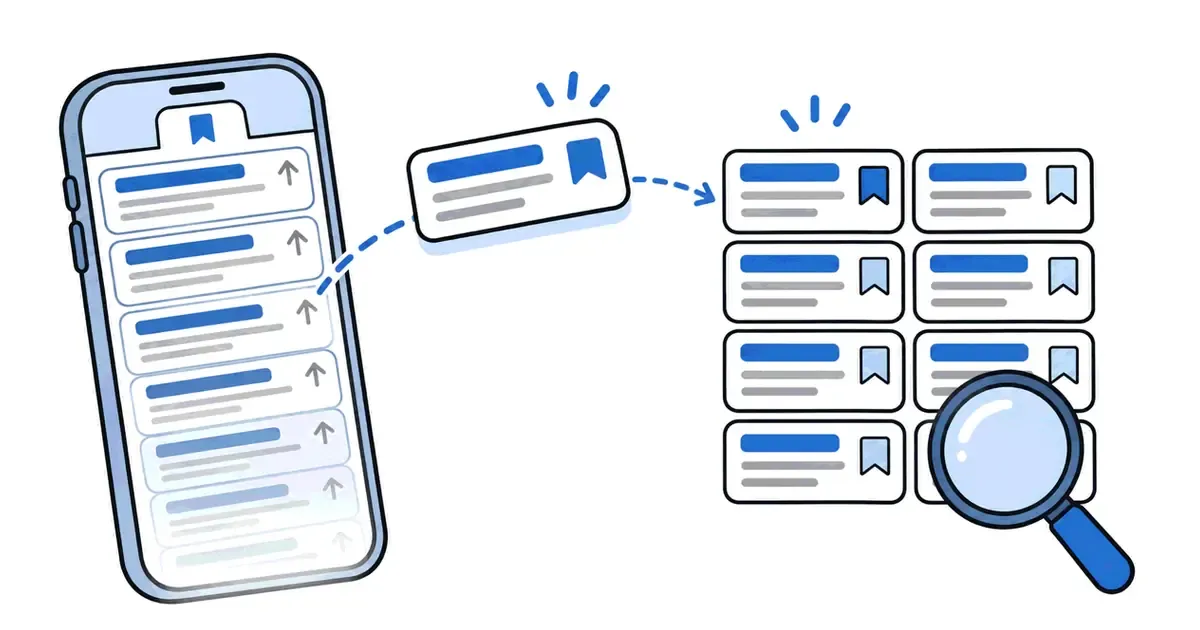
Reddit makes saving easy: one tap on Save and the post is yours to come back to. Coming back is the harder part. The Saved list hides in a menu, it mixes posts with comments, and after a while the oldest saves seem to vanish. This guide shows where saved posts live in the app and on a computer, why some go missing, and how to get a full list back.
Reddit moves its menus from time to time, so a label on your screen may differ slightly from the one here. The steps were checked on 16 November 2026 against Reddit's own help pages and the current website.
How do you see saved posts on Reddit in the app?
The Reddit app for iPhone and Android keeps saved posts in your account menu.
- Open the Reddit app and make sure you are signed in to the account you saved from.
- Tap your avatar (your profile picture) in the top corner to open the account menu.
- Tap Saved. If you are already on your profile page, the three-line menu near the top right leads to the same list.
- Scroll the list. Newest saves are at the top, and both posts and comments appear.
Reddit's help article How do I save a post and where does it get saved? describes the same place. To remove a post from the list, open its menu and tap Unsave.
How do you see saved posts on Reddit on a computer?
On reddit.com the Saved list is a tab on your profile.
- Click your avatar in the top-right corner and choose View Profile.
- Click the Saved tab in the row under your name. Only you see this tab.
- Or skip the menus and type the address directly: reddit.com/user/your-name/saved, with your username in place of your-name.
The older design of the site still works too. The address old.reddit.com/user/your-name/saved shows the same list in a compact layout that many people find quicker to scan, because each save takes one line instead of a large card.
How do you see saved comments on Reddit?
Saving works on comments as well as posts, and saved comments go to the same Saved list. A saved comment shows the comment text with a link to the thread it came from, so you can jump back to the full discussion.
On the website, the top of the Saved tab may let you switch between posts and comments. In the app, the two are usually mixed in one list. If you only want comments, the data request described below gives you a separate file for saved comments.
Can other people see your saved posts on Reddit?
No. The Saved tab only shows on your own profile when you are signed in, and visitors to your profile see your posts and comments, not your saves. Saving does not upvote a post, does not notify the person who wrote it and does not add a public count.

That privacy also means nobody else can recover your saves for you. If you lose access to the account, the list goes with it.
Why can I not see all my saved posts on Reddit?
This is the most common complaint about the Saved list, and there are a few separate causes.
- The list stops at about 1,000 items. Reddit's listings are capped. The documentation for PRAW, the Python library for Reddit's API, puts it plainly: "Most of Reddit's listings contain a maximum of 1000 items". Once you pass that number, older saves fall off the bottom of what you can scroll to.
- The post was deleted or removed. A save points to the original post. If the author deletes it or moderators remove it, the entry may stay but show [deleted] or [removed] instead of the content.
- The community went private or was banned. Posts from a community you can no longer open usually cannot be opened from your Saved list either.
- You are signed in to another account. Saves belong to one account. If you use more than one, check that you are on the account you saved from.
- The app is showing an old copy. Pull down to refresh the list, update the app, or open the same list on reddit.com.
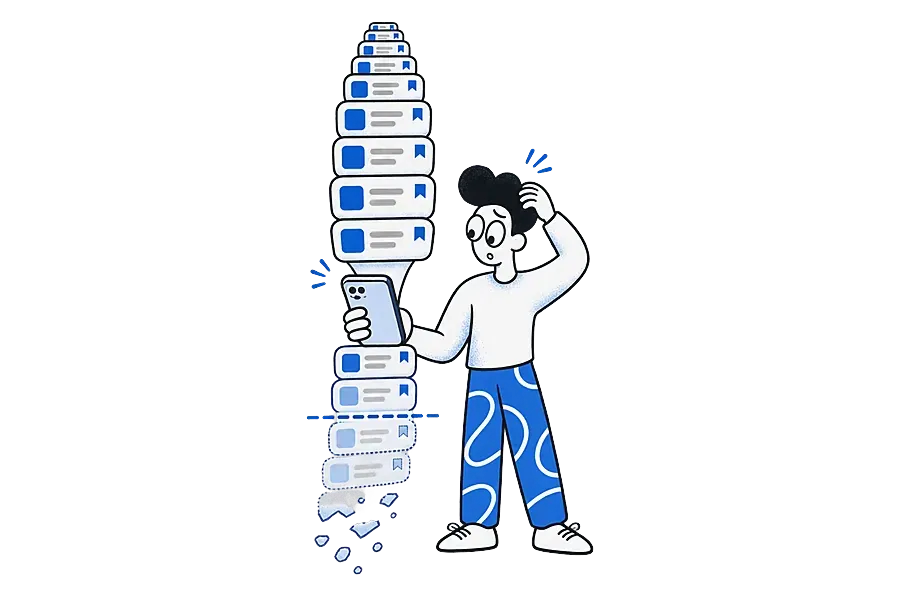
The wider web has the same weakness. Pew Research Center found that 38% of web pages that existed in 2013 were no longer available a decade later (Pew Research Center, "When Online Content Disappears"). We explain the problem in our glossary entry on link rot.
How do you get a full list of everything you have saved?
When the 1,000-item limit has hidden your older saves, a copy of your Reddit data is the way to see them again.
- On a computer, open Reddit's data request page in your account settings (reddit.com/settings/data-request).
- Request a copy of your data and confirm by email if asked.
- Wait for the download link. Reddit says preparing the data copy can take up to 30 days (Reddit Help on accessing your Reddit data).
- Open the download. It includes one file of saved posts and one of saved comments, which open in any spreadsheet app.
The files hold links, not copies of the posts. A link to a post that was later deleted still leads nowhere, but at least you know what you saved and when.
Is there a way to search your saved posts on Reddit?
Reddit's help pages explain how to save and where the Saved tab is, but we could not find a search for saved items described in them. Three workarounds help:
- Browser Find. On a computer, open the Saved tab, scroll until the list stops loading, then press Ctrl+F (Cmd+F on a Mac) and type a word from the title. The old.reddit.com layout loads more saves per screen, which makes this quicker.
- Your data export. Open the saved posts file in a spreadsheet and search the links. The links contain each post's title in short form, so a keyword often matches.
- A save app with search. Share the posts you want to keep to an app that indexes them. This works best for new saves, from the moment you start.

How do you keep Reddit posts you want to find again?
If Reddit is one of several places you save from, a single searchable wall saves you from remembering which app you were in. Ideafex is built for this, and we make it. Other save apps work in a similar way.
- On your phone: tap Share on a Reddit post, pick Ideafex from the share sheet, choose folders if Ideafex asks, and you see "Saved to Ideafex" without leaving Reddit. The guide to saving Reddit posts has the Android and iPhone steps.
- On a computer: right-click a post link on reddit.com and choose Save link to Ideafex with the Ideafex browser extension for Chrome, Edge or Firefox, or paste the link into the web app.
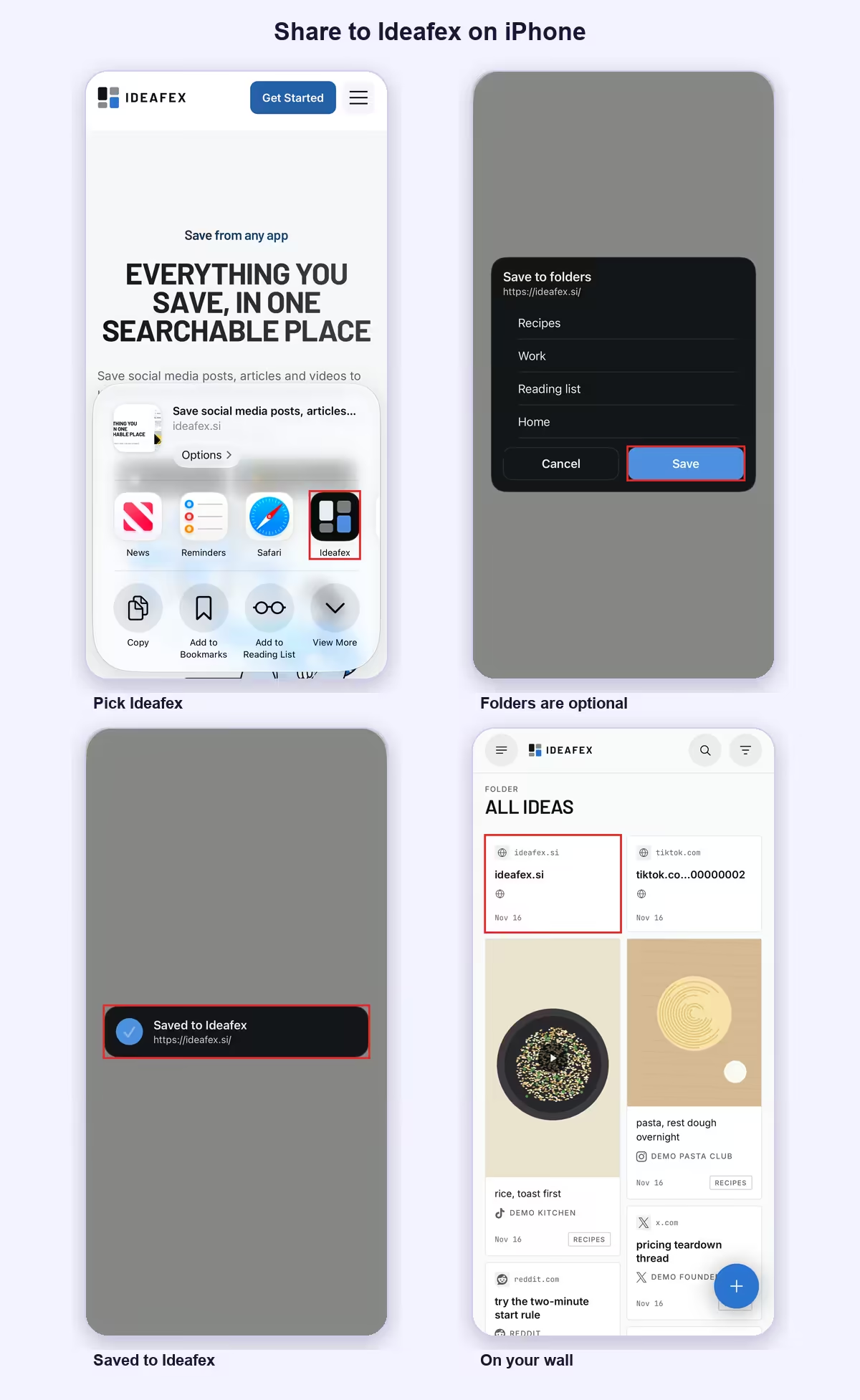
Every plan keeps the link, the Reddit platform badge and a preview with the post title. Search covers the title and any note you add, so a note like "fix for my router" finds the thread later. On Pro, Ideafex also tries to fetch the post text, author, images and video, and makes a transcript of videos it can download. Fetching is best-effort, because Reddit does not always allow the request.
Two limits are worth knowing:
- Ideafex saves the post you share, not the comment thread under it.
- It also has no import from Reddit's Saved tab, so older saves stay where they are until you share them across.
If the post is deleted on Reddit later, the idea stays on your wall with its link.
Should you rely on Reddit's Saved tab?
For a few dozen saves, yes. It is free, private and one tap away. It starts to strain past a few hundred saves or when you want to search. It also strains when the Reddit thread sits next to an Instagram recipe and a YouTube review of the same thing. At that point, keep using Save for quick bookmarks and share the posts that matter to a place you can search. Our guide to saving social media posts in one place covers that setup, and the Ideafex home page shows how the wall works.
Quick answers
In the Saved section of your own profile. In the app, tap your avatar and choose Saved. On a computer, open your profile and click the Saved tab, or go to reddit.com/user/your-name/saved.
No. The Saved tab only shows on your own profile when you are signed in. Saving a post does not upvote it or tell the person who posted it.
Reddit's listings stop at about 1,000 items, so the oldest saves drop off the bottom of the list. Posts that were deleted or removed also lose their content. A data request gets you the full list as files.
Reddit's help pages do not describe a search for saved items. On a computer you can scroll the Saved tab and use your browser's Find, or share posts to a save app such as Ideafex that has search.
Saved comments sit in the same Saved list as posts. On the website you can switch between posts and comments at the top of the Saved tab, depending on the version of the page you see.
Give your Reddit saves a search box
Share a Reddit post to Ideafex and it joins one searchable wall with everything else you save. Free on Android, iPhone and the web.


Related reading

Reddit save posts: how saving works and how to keep posts searchable
Reddit's Save button, where saved posts go, why saving sometimes fails, and how to keep Reddit posts searchable alongside saves from other apps.
Read more →
Save social media posts from every app in one searchable place
Share posts from Instagram, TikTok, X, Reddit or any other app to one searchable wall, then find them again by platform, folder or what they said.
Read more →
Share from any app: save to Ideafex from the share sheet
Tap Share in any app, pick Ideafex, and the post, link, text or file is saved without leaving the app, even offline.
Read more →