
Ideafex makes this page; we've tried to be fair.
Two changes push people to look for an Evernote alternative:
- The Free plan now syncs one device, and Evernote's help centre confirms that only one device can be connected at a time on Free.
- Many long-time users report price rises on the paid plans; Evernote's prices load inside the page, so check the current figures on Evernote's plans page rather than trusting a number in a review.
The Free plan also caps you at 50 notes and 1 notebook, which fills up quickly if you clip a lot.
This page is about one half of Evernote: saving and clipping web pages, articles, posts and videos to find them later. If you mainly write notes in notebooks, with tasks, scanned documents and rich editing, a full notes app such as Notion, OneNote or Obsidian is the closer replacement, and we do not try to rank those as notes apps here.
We make one of the apps listed, Ideafex. Every claim about another app comes from that app's own pages, linked below and checked on 15 November 2026. Where a site does not say something, we say so instead of guessing.
Why are people leaving Evernote?
- One device on Free. Evernote's plan comparison lists sync on 1 device for Free, 3 devices for Starter and unlimited on Advanced. The Evernote help centre confirms the one-device rule for Free. If you clip on a computer and read on a phone, Free no longer covers both.
- Price changes. Recent store reviews complain about repeated increases. We do not quote their figures; the current prices are on Evernote's plans page. Paid trials last 7 days.
- Free plan limits. 50 notes, 1 notebook and 1 GB of storage on Free, per the same plan comparison.

How do the Evernote alternatives compare?
The table compares the things that matter for saving and clipping. It has no price column on purpose: plans change often, so each entry links to the app's own pricing or plans page.
| App | Platforms | Clips web pages | Saves posts from phone apps | Free plan | AI/MCP access | Saving offline |
|---|---|---|---|---|---|---|
| Evernote (for reference) | iOS, Android, web, Windows, Mac | Yes: Web Clipper for pages, articles, PDFs and screen captures | Not its focus | 50 notes, 1 notebook, 1 device | AI Assistant, semantic search, MCP | Not stated on the pages we checked |
| Raindrop.io | Web, Mac, iOS, Android, Chrome, Safari, Firefox, Edge | Yes, as bookmarks; web archive on Pro | Any link via the share sheet | Yes: unlimited bookmarks, collections and devices | AI assistant on Pro; MCP (limited on Free) | No: its help centre says saving needs a connection |
| Notion Web Clipper | Chrome and Safari extensions; iOS and Android share sheet | Yes, into a page or database | Via the share sheet, as a web page | Check Notion's pricing page | Not covered on the clipper help page | Not stated on the clipper help page |
| Obsidian Web Clipper | Chrome, Safari, Firefox, Edge, Brave, Arc, Orion, Vivaldi | Yes, as Markdown files in your vault, with highlights and templates | Not stated on its page | The clipper is free and open source | Not stated on its page | Clips are stored locally in your vault |
| Ideafex | Android, iPhone, web, Chrome, Edge and Firefox extensions | Links, selected text and screenshots in Chrome, Edge and Firefox; article text on Pro | Yes: share from any app; media on Pro is best-effort | Yes: unlimited ideas, search, 3 folders, link previews | On Pro: read-only MCP (AI access in Account) | Yes: saves queue and sync later |
| mymind | iOS, Android, macOS, Chrome, Edge and Safari extensions | Yes, with Reading Mode and article backup on Mastermind | Not stated on its site | Its site says "Sign up for free" | AI tagging; MCP not stated on its site | Not stated on its site |
Sources: Evernote plans, Evernote Web Clipper and Evernote device limit help; Raindrop limits, Raindrop Pro features, Raindrop MCP, Raindrop mobile app and Raindrop import; Notion Web Clipper help; Obsidian Web Clipper; mymind and mymind pricing; Ideafex pricing page. Checked 15 November 2026.
1. Raindrop.io: the closest swap for clipping links
Verdict: the nearest like-for-like option if you used Evernote mostly to keep web pages and links in order.
What it is: a bookmark manager with apps for the web, Mac, iOS and Android and extensions for Chrome, Safari, Firefox and Edge. The free plan has unlimited bookmarks, collections, collaborators and sync devices, which answers the one-device problem directly. Pro adds full-text search, a web archive, reminders, an AI assistant and a fuller MCP server.
Good for: desktop clipping into collections, and moving old clips: Raindrop's import accepts Evernote ENEX files (web clips only).
Trade-off: its help centre says the mobile app needs a connection to save new bookmarks. More options are in our Raindrop alternatives.
Price: free plan; Pro on Raindrop's Pro page.
2. Notion Web Clipper: clip into a workspace you already use
Verdict: the natural choice if you are moving your notes to Notion anyway.
What it is: Notion's clipper saves any web page into a page or database in your workspace. Its help page lists a Chrome extension, a Safari extension, and the share sheet on iOS and Android. Clipping into a database adds the original address as a URL property.
Good for: people who want clips next to their notes, tasks and documents.
Trade-off: the help page says you cannot add tags or properties while clipping; you add them later in the database.
Price: check Notion's pricing page.
3. Obsidian Web Clipper: local Markdown files you own
Verdict: the pick if you want clips as plain files on your own device.
What it is: a free, open-source browser extension for Chrome, Safari, Firefox, Edge, Brave, Arc, Orion and Vivaldi. Its page says clipped content is stored locally in your Obsidian vault as Markdown, and it supports highlights and templates for articles, recipes and papers.
Good for: people who already keep notes in Obsidian and care about owning their files.
Trade-off: it is a browser tool. Its page does not describe saving from phone apps.
Price: the clipper is free.
4. Ideafex: for posts and videos saved from your phone
Verdict: the pick if most of what you clip comes from phone apps, not a desktop browser.
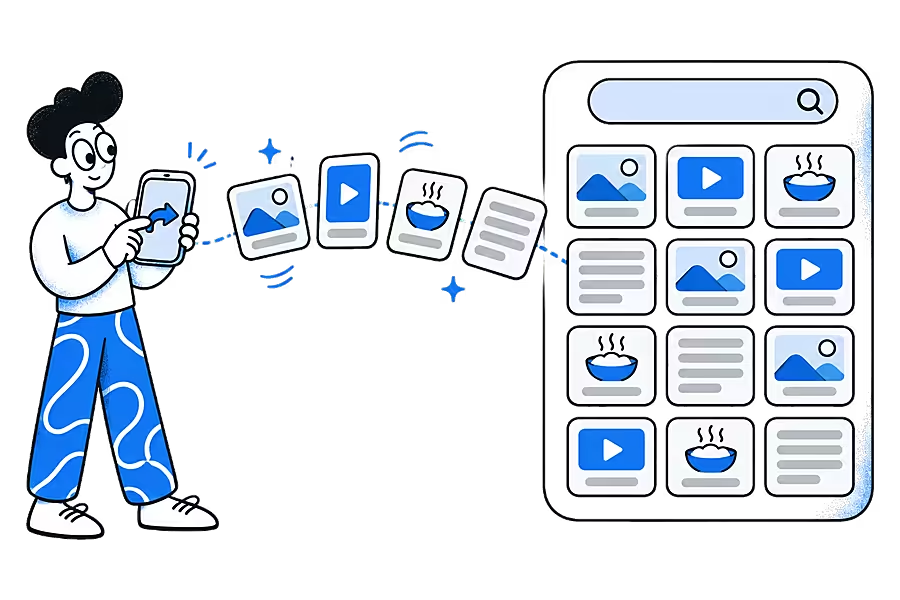
What it is: an app that saves posts, articles and videos from any app to one searchable wall. You tap Share in Instagram, TikTok, X, Reddit, a browser or any other app, choose Ideafex, and stay where you were. It runs on Android, iPhone and the web, and the browser extension for Chrome, Edge and Firefox saves links, selected text and screenshots. Saving works offline and syncs later (offline sync).
Good for: people whose Evernote clips were really saved posts, recipes, reels and articles from many apps. Free gives unlimited ideas, search, up to 3 folders and link previews on all your devices.
Trade-off: it is not a notes app. There are no notebooks, tasks, document scanning or PDF tools, and no Evernote import. Media fetching on Pro is best-effort, and YouTube links are kept as a preview only.
Price: free plan; Pro on the Ideafex pricing page.
Save from any app, on every device
Ideafex is free on Google Play and the App Store, with a web app and extensions for Chrome, Edge and Firefox. Share a post, article or video and find it again later.


5. mymind: a private, visual place for clips
Verdict: the pick if your clips are mostly images and inspiration.
What it is: an ad-free space for notes, images, articles and links, with AI tagging. It has iOS, Android and macOS apps and extensions for Chrome, Edge and Safari. Its site promises no ads, no social features and no collaboration, and says it will never sell your data.
Good for: designers and visual thinkers. Reading Mode, article backup and a PDF analyser are on the Mastermind plan.
Trade-off: its site does not mention MCP access or offline saving. Our Ideafex vs mymind comparison goes deeper.
Price: see mymind's pricing page.
Where Evernote is the better choice
- Full note-taking. Notebooks, tasks, a calendar, document scanning, PDF tools and rich editing in one app. None of the savers above replace that.
- A capable Web Clipper. Evernote's clipper saves articles, whole pages, PDFs and screen captures straight into notes.
- Desktop apps. Native apps for Windows and Mac as well as iOS, Android and the web.
- AI and MCP. Evernote lists an AI Assistant, semantic search, AI Transcribe and an MCP connection for Claude, ChatGPT and other tools. AI access is not a reason to leave Evernote.
- Portable archives. Evernote's ENEX export is read by other apps, such as Raindrop's import.
If you live in notebooks and can pay for a plan that syncs all your devices, staying may well be the right call.
How do you move your clips out of Evernote?
- Decide what you actually reopen. Many clip archives are mostly unread. Moving only the clips you still use is faster.
- Export from Evernote. Evernote can export notes as ENEX files. Keep them as a backup whatever you choose.
- Import where you can. Raindrop imports ENEX web clips. Notion and Obsidian have their own import tools; check their help pages first.
- Re-share the rest. Ideafex has no Evernote import. Open the pages and posts you still need and share them to Ideafex, then let new saves land there from now on.
How should you choose?
- Clipping on a computer into collections: Raindrop.io.
- Clips next to your notes and tasks: Notion Web Clipper, or Obsidian Web Clipper if you want local files.
- Saving posts and videos from phone apps: Ideafex. See saving social media posts in one place.
- Visual inspiration: mymind.
New to the term? Our glossary explains what a web clipper is. If you came from Pocket rather than Evernote, see Pocket alternatives.
Questions people ask
Evernote's plan comparison lists sync on 1 device for Free, 3 for Starter and unlimited on Advanced, and its help centre confirms Free allows one connected device at a time. To use more devices you need a paid plan or another app.
Yes. Raindrop.io has a free plan with unlimited bookmarks and devices, the Obsidian Web Clipper is free and open source, and Ideafex has a free plan with unlimited ideas on Android, iPhone and the web.
Raindrop.io's free plan lists unlimited sync devices, and Ideafex Free works on Android, iPhone, the web and the browser extension with the same account. Check each app's plan page before you move.
Raindrop.io imports Evernote ENEX files (web clips only). Notion and Obsidian have their own import tools. Ideafex has no Evernote import, so you re-share the pages you still need.
Yes. Evernote lists an AI Assistant, semantic search, AI Transcribe and MCP access for Claude, ChatGPT and other tools on its plans page. Ideafex also has read-only MCP on Pro, so AI access alone is not a reason to switch.
Save it once, find it later
Save posts, articles and videos from any app to one searchable wall. Ideafex is free on the App Store, Google Play and the web at app.ideafex.si.
Related reading

Raindrop Alternatives: 5 Apps to Try Instead of Raindrop.io
Five Raindrop.io alternatives matched to why you might switch: offline saving, a visual space, open source, a reader, or social posts.
Read more →
Pocket Alternatives: 7 Apps to Use Now That Pocket Has Shut Down
Seven apps to replace Pocket, from read-it-later readers to save-anything apps, compared on platforms, free plans, AI access and offline use.
Read more →
What Is a Web Clipper? How Clipping Tools Work
A browser extension or app feature that saves the content of a web page, not just its address.
Read more →