

Ideafex makes this page; we've tried to be fair.
A bookmark manager keeps the links you save in order and helps you find them again. Every browser has a basic one, and a dozen standalone apps go further with previews, collections, full-text search and, lately, access for AI assistants. Which one is best depends less on features than on where you save from and how you look things up later.
We make one of the apps below, Ideafex, and we have tried to be fair. Claims about other apps come from their own websites, linked in each section and checked on 16 November 2026. Where a site does not say something, we say so instead of guessing. Plans change often, so check each app's own pricing page before you pay for anything.
How did we choose these bookmark manager apps?
We looked for apps that are actively maintained, work on more than one device, and are named in current search results and AI answers for "bookmark manager". Then we compared them on the questions people actually ask before switching:
- Where do you save from? A desktop browser, your phone's share sheet, or both.
- How do you find things? Folders, tags, or full-text search of what the page said.
- Does saving work offline? This matters on a train or a plane more than people expect.
- Can an AI assistant search your saves? Several apps now offer this through MCP, the Model Context Protocol.
- Is there a free plan? And what is the limit on it.
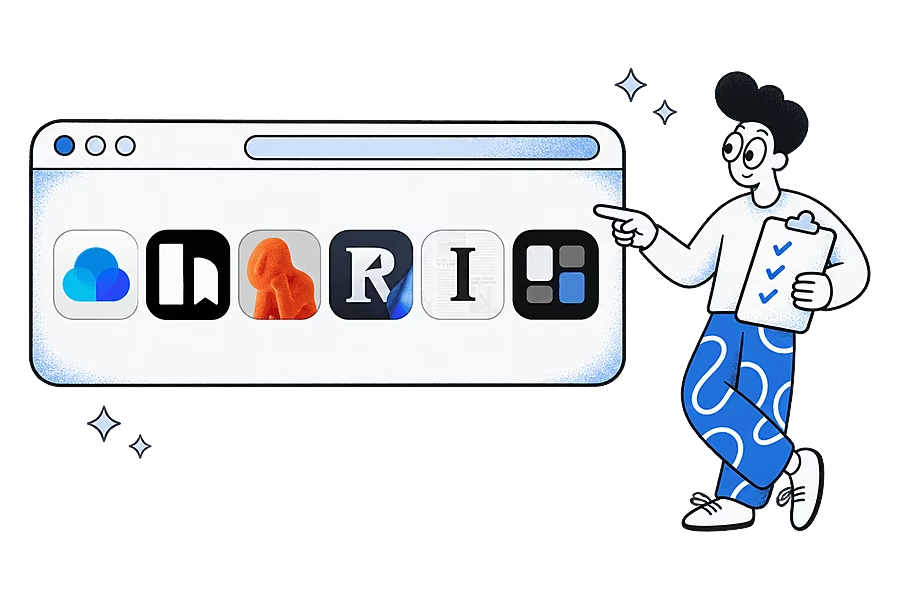
How do the bookmark manager apps compare?
| App | Best for | Platforms | Search | AI/MCP access | Free plan |
|---|---|---|---|---|---|
| Raindrop.io | Desktop link collectors | Web, Windows, Mac, iOS, Android, extensions for Chrome, Firefox, Safari and Edge | Titles and tags; full-text on Pro | MCP (read and write) | Yes, unlimited bookmarks |
| Karakeep | Open source, self-hosting | iOS, Android, web, browser extensions, self-hosted | Full-text | First-party MCP server | Cloud plan capped at 50 bookmarks; self-hosting free |
| mymind | A private, visual space | iPhone, Android, browser extension, macOS, web | Search with AI tagging | Not stated on its site | Guest plan up to 100 cards |
| Readwise Reader | Saving to read and highlight | iOS, Android, web, Mac, Windows, browser extensions | Full content | MCP server | No, a 30-day trial |
| Instapaper | Simple article reading | Web, iOS, Android | Full-text on Premium | No MCP on its Premium page | Yes, unlimited saves |
| Ideafex | Saving from phone apps | Android, iPhone, web, Chrome, Edge and Firefox extensions | Titles, sources and notes; article text and transcripts on Pro | Read-only MCP on Pro | Yes, unlimited ideas, 3 folders |
| Browser bookmarks | A few links in one browser | Your browser, synced when signed in | Titles and addresses | None | Free |
Sources are linked in each section below. "Not stated on its site" means we could not find the feature on the app's own pages, not that it is missing.
1. Raindrop.io: the all-round bookmark manager
What it is: a bookmark manager with apps for Windows, Mac, iPhone, iPad and Android, plus extensions for Chrome, Firefox, Safari and Edge (Raindrop.io). Links go into collections with tags, highlights and visual previews. The free plan includes unlimited bookmarks, collections and devices, and Pro adds full-text search, a permanent web archive, an AI assistant and full MCP access (Raindrop.io plans).
Best for: people who save mostly from a desktop browser, use more than one browser, or share collections with a team or family.
Watch for: Raindrop's help centre says the mobile app needs a connection to save new bookmarks (Raindrop mobile app help). Its MCP tools can change your library as well as read it, which some people want and others do not.
2. Karakeep: open source and self-hosted
What it is: an open-source app for links, notes, images and PDFs, with AI tagging, full-text search and a first-party MCP server. It has mobile apps and browser extensions, and you can run it on your own server with Docker (Karakeep).
Best for: people who want Raindrop-style organising and full control of where their data lives.
Watch for: the hosted free plan stops at 50 bookmarks, and self-hosting means you keep the server updated and backed up yourself.
3. mymind: a calm, visual place for saves
What it is: a private space for notes, images, articles and links that tags and summarises what you save with AI, so you search instead of filing. It has iPhone and Android apps, a browser extension and a macOS app. The guest plan is free up to 100 cards (mymind help on the free plan).
Best for: people who find folders and tags too much like admin and think visually.
Watch for: its site does not mention MCP or shared collections. Our Ideafex vs mymind page goes into the differences.
4. Readwise Reader: when you save to read
What it is: a reading app for articles, PDFs, newsletters, RSS, YouTube videos and X threads, with highlighting, offline reading and an MCP server (Readwise Reader). It works more like a read-it-later app than a link library.
Best for: people who saved links to read them, never did, and want a reader that makes them.
Watch for: there is no free plan, only a 30-day trial.
5. Instapaper: a simple free reader
What it is: a read-it-later app with free unlimited saves and folders on the web, iOS and Android. Premium adds full-text search and a permanent archive (Instapaper Premium).
Best for: people who mostly save articles and want a quiet, free place to read them.
Watch for: it is built for articles more than links of every kind, and its Premium page does not mention MCP. Our read-it-later apps guide compares it with other readers.
6. Ideafex: for saves that start on your phone
What it is: an app that saves posts, articles and videos from any app's share sheet to one searchable wall, on Android, iPhone and the web. You tap Share, pick Ideafex and stay in the app you were using. Saving works offline: the idea appears straight away and uploads when you reconnect. Ideas go into nested folders, and one idea can sit in several. The browser extension for Chrome, Edge and Firefox saves links, selected text and screenshots from desktop pages.
Free and Pro: Free gives unlimited ideas, search, link previews and up to 3 folders. Pro adds unlimited folders, media, article text, video transcripts and AI access, a read-only MCP connection for Claude, ChatGPT and other assistants. Plans are on the Ideafex pricing page.
Best for: people whose saves are Instagram posts, TikToks, Reddit threads and X posts as much as web pages.
Watch for: the extension is on Chrome, Edge and Firefox, not Safari. There are no tags, no shared collections and no export. YouTube links are kept as a preview only, and media fetching is best-effort.
7. Browser bookmarks: free and already there
What it is: the star in your browser's address bar. Chrome lets you create, find and edit bookmarks, sort them into folders and sync them across devices when you are signed in (Google Chrome Help on bookmarks).
Best for: a few dozen links you use often, in one browser.
Watch for: search covers titles and addresses only, and links saved from phone apps such as Instagram or TikTok stay in those apps' own saved lists.
Which bookmark manager works offline?
It depends on what you mean by offline. Reading offline is common: Instapaper and Readwise Reader both offer it. Saving offline is rarer. Raindrop's help centre says a connection is needed to save new bookmarks on mobile. Ideafex queues a save made offline and uploads it when you are back online, both on the phone and in the browser extension.

Which bookmark managers can an AI assistant search?
Raindrop.io, Karakeep and Readwise describe MCP servers on their own sites, so Claude or another assistant can search your saves through them. Ideafex offers the same on Pro: copy the MCP server address from AI access in Account. The difference worth checking is write access: Raindrop's MCP help says some of its tools change your library (Raindrop MCP help), while Ideafex's connection is read-only. Our glossary explains what an MCP server is.

How should you choose a bookmark manager?
- Count where your last 20 saves came from. Mostly a desktop browser points to Raindrop.io or Karakeep. Mostly phone apps points to Ideafex.
- Decide if you read what you save. If yes, a reader such as Readwise Reader or Instapaper may serve you better than a library.
- Check search on your own saves. Save ten things you will look for later and try finding them a week on.
- Check the way out. Look for import and export before you put years of links into one app. Pocket's 2025 shutdown, covered in our Pocket alternatives guide, showed why.
Many people end up with two tools: browser bookmarks for daily links and one app for everything they want to find again. Our glossary entry on what a bookmark manager is covers the types in more depth, and the Ideafex vs Raindrop.io page sets the two side by side. To see how a phone-first wall works, start at the Ideafex home page.
Quick answers
For saving from a desktop browser, Raindrop.io covers the most platforms with a generous free plan. Karakeep is the open-source choice, mymind the visual one, and Ideafex suits people who save mostly from phone apps.
Yes. Browser bookmarks are free, and Raindrop.io and Instapaper have free plans with unlimited saves. Karakeep is free to self-host, and Ideafex has a free plan with unlimited ideas, search and 3 folders.
Raindrop.io, Karakeep, mymind, Readwise Reader, Instapaper and Ideafex all have Android apps. Ideafex also saves from the Android share sheet while offline and uploads when you reconnect.
Raindrop.io, Karakeep and Readwise describe MCP servers on their own sites. Ideafex has AI access on Pro (the MCP server address under Account), a read-only MCP connection for Claude, ChatGPT and other assistants.
Not always. Browser bookmarks are fine for a few links in one browser. A separate app helps when you switch browsers or devices, save from phone apps, or want to search the text of saved pages.
A save button for every app on your phone
Ideafex saves posts, articles and videos from any app's share sheet to one searchable wall. Free on Android, iPhone and the web.


Related reading

What Is a Bookmark Manager? Types and How to Choose
A tool for saving, organising and finding web links, built into your browser or as a separate app.
Read more →
Raindrop vs Ideafex: Bookmark Manager or Save-Anything Wall?
Raindrop.io is a bookmark manager for every platform. Ideafex is a phone-first save button for posts, articles and videos. A fair comparison.
Read more →
Raindrop Alternatives: 5 Apps to Try Instead of Raindrop.io
Five Raindrop.io alternatives matched to why you might switch: offline saving, a visual space, open source, a reader, or social posts.
Read more →