
A TikTok transcript is the spoken words of a video written out as text. Most tools that make one are built for a single video: paste a link, copy the text, close the tab. Ideafex does something narrower and more useful if you save a lot of videos. It keeps the transcript attached to the video you saved, so months later you can type a phrase you half remember and the right clip comes up.
Can Ideafex make a transcript of a TikTok video?
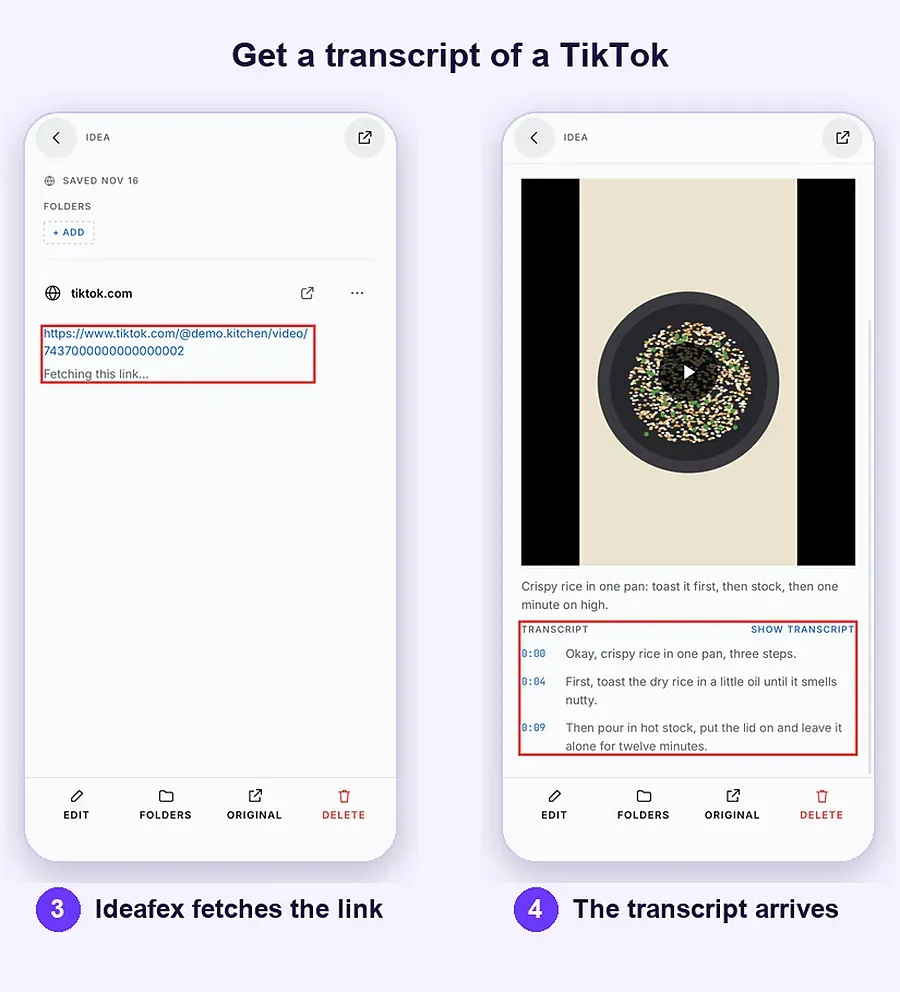
Yes, on Pro, when Ideafex can download the video. You share the TikTok to Ideafex, Ideafex fetches the video in the background, and speech recognition turns what was said into text with timestamps. The transcript is stored with the idea and covered by search, next to the caption, the creator's name and any note you add. The W3C describes a transcript as a text version of what is said and of important sounds in audio or video (W3C WAI: Transcripts); Ideafex makes the speech part of that.
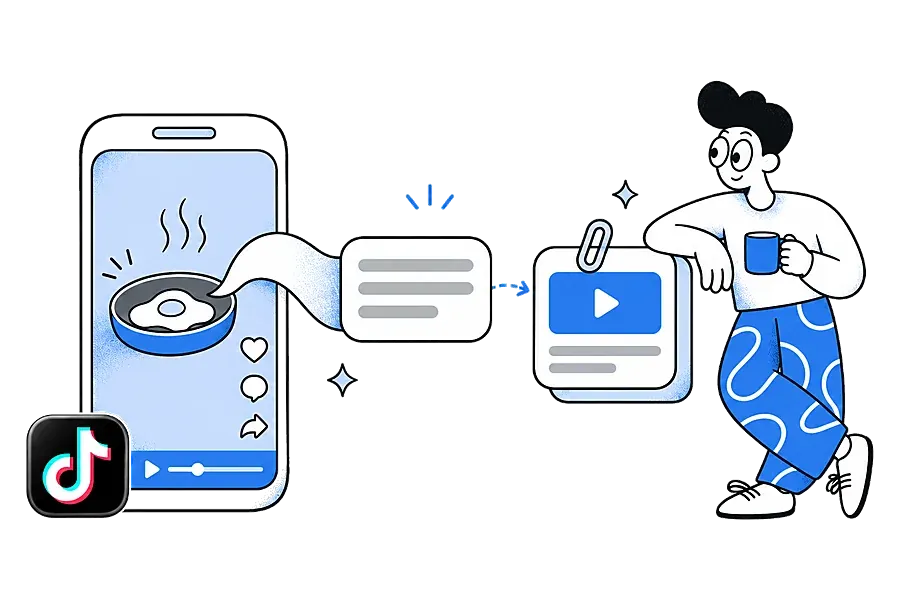
It is best-effort. TikTok does not always allow the download, and when it does not, there is no transcript for that video. You still keep the link, the preview and any caption Ideafex could read.
How do you get a transcript of a TikTok video?
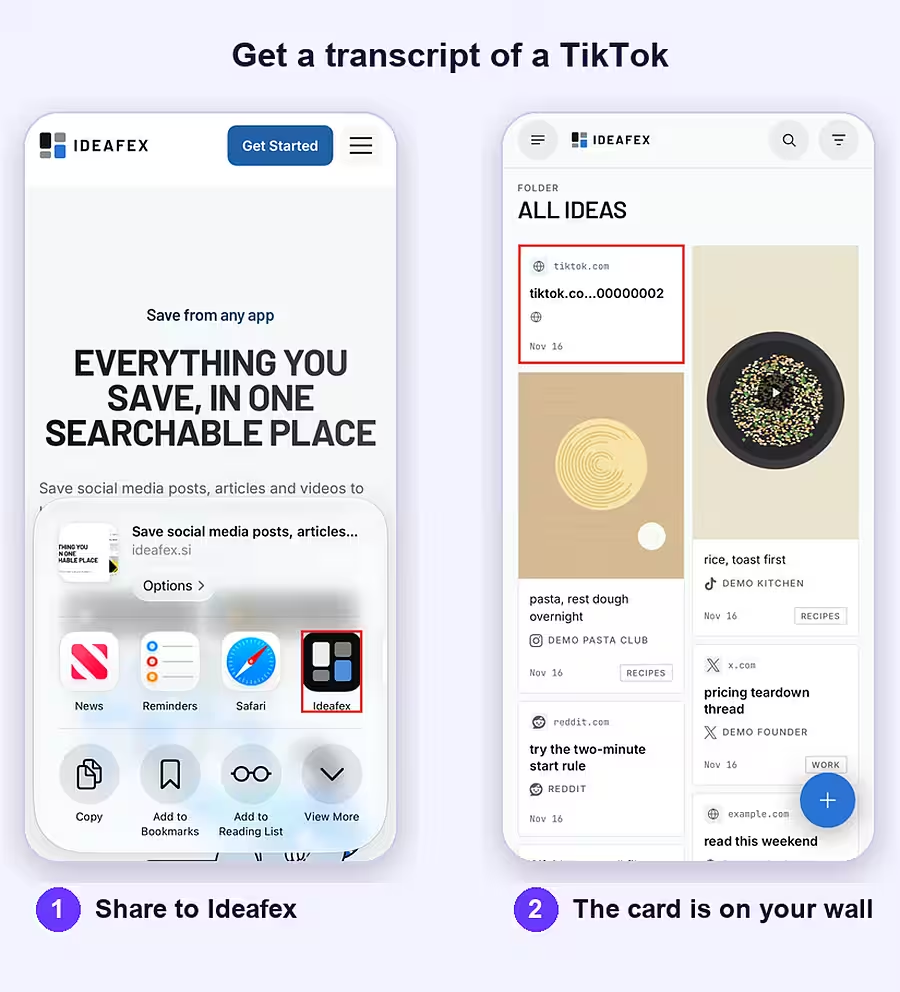
- Share the video to Ideafex. In TikTok, tap Share. In TikTok's own share panel, scroll the row of apps and tap More to open the system share sheet, then pick Ideafex. Full steps for every device are in share from any app.
- Carry on scrolling. If Ideafex asks, choose folders under "Save to folders". You see "Saved to Ideafex" and stay in TikTok. The card appears on your wall straight away.
- Ideafex fetches the video. On Pro, it tries to download the video, the caption and the creator in the background.
- The transcript arrives. When the download works, the transcript fills in on its own a little later. There is no processing screen to watch and no button to press. If the fetch fails, Ideafex retries by itself a few times.
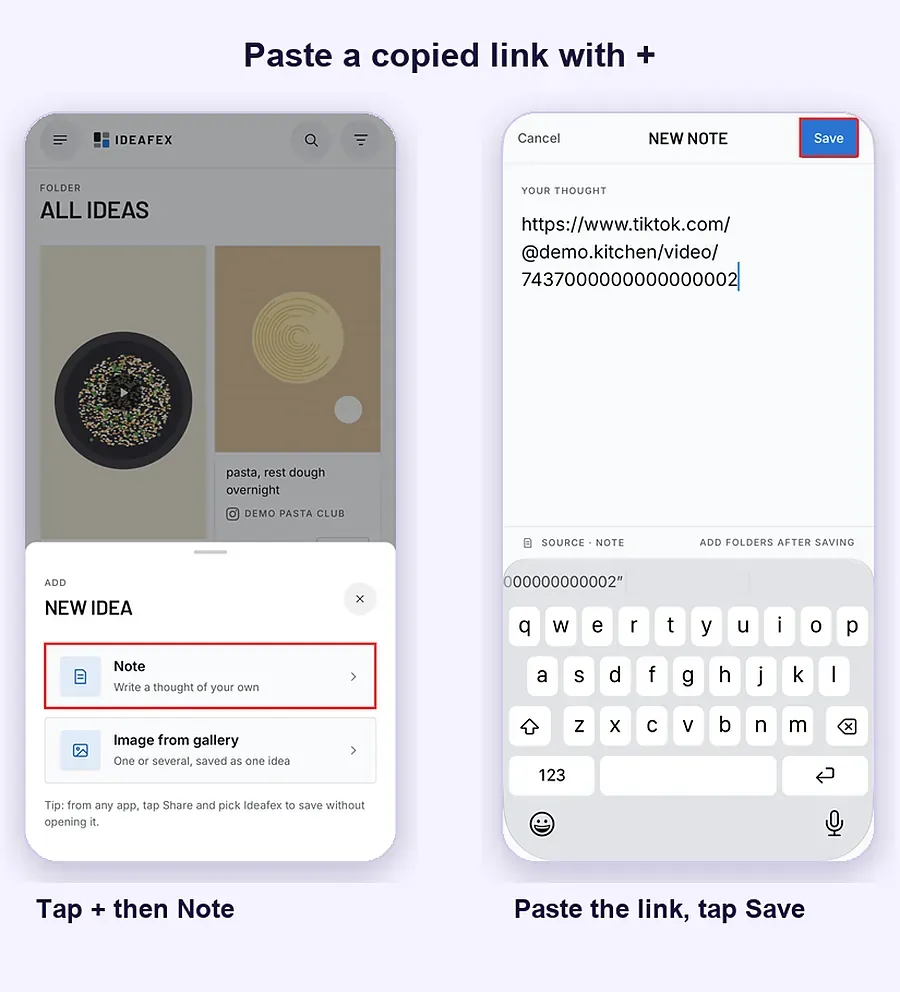
You can also tap Copy link and paste it in Ideafex with + and Note.
On a computer, right-click a TikTok link in Chrome, Edge or Firefox with the Ideafex extension and choose Save link to Ideafex, or paste the link in the web app.
Does it work for Instagram Reels?
Yes, in the same way. An Instagram Reel transcript is made when Ideafex can download the Reel:
- Open the Reel.
- Tap Share.
- Choose the option that opens the system share sheet (often Share to or More).
- Pick Ideafex.
On Pro, Ideafex fetches the video, the caption and the author, and makes a transcript of what was said. As with TikTok, this is best-effort: Instagram sometimes blocks the request, and private accounts cannot be fetched.
The same applies to video posts from Facebook, X, Reddit, Pinterest and Snapchat. One search covers transcripts from all of them, so a tip you heard in a Reel and a similar one from a TikTok come up together.
Where do you read and search the transcript?
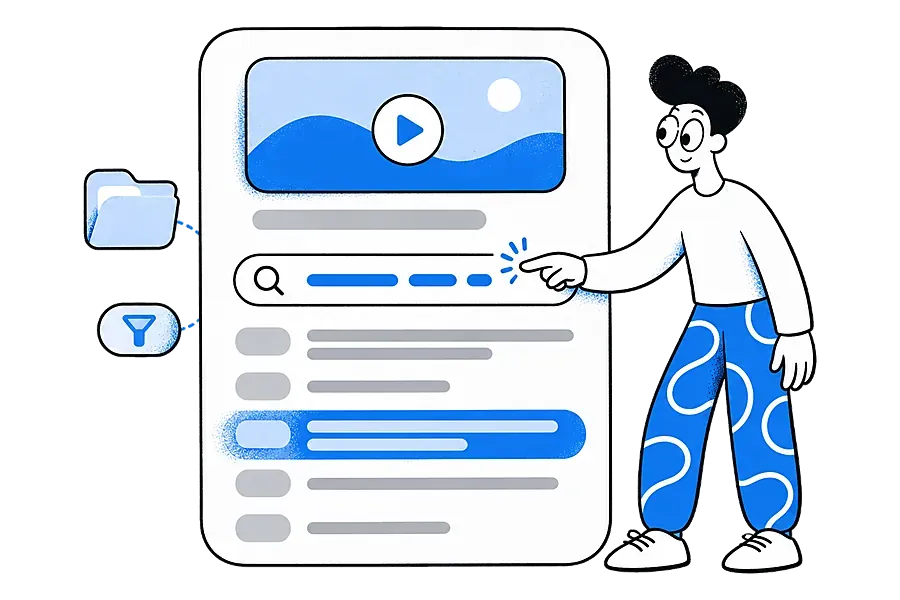
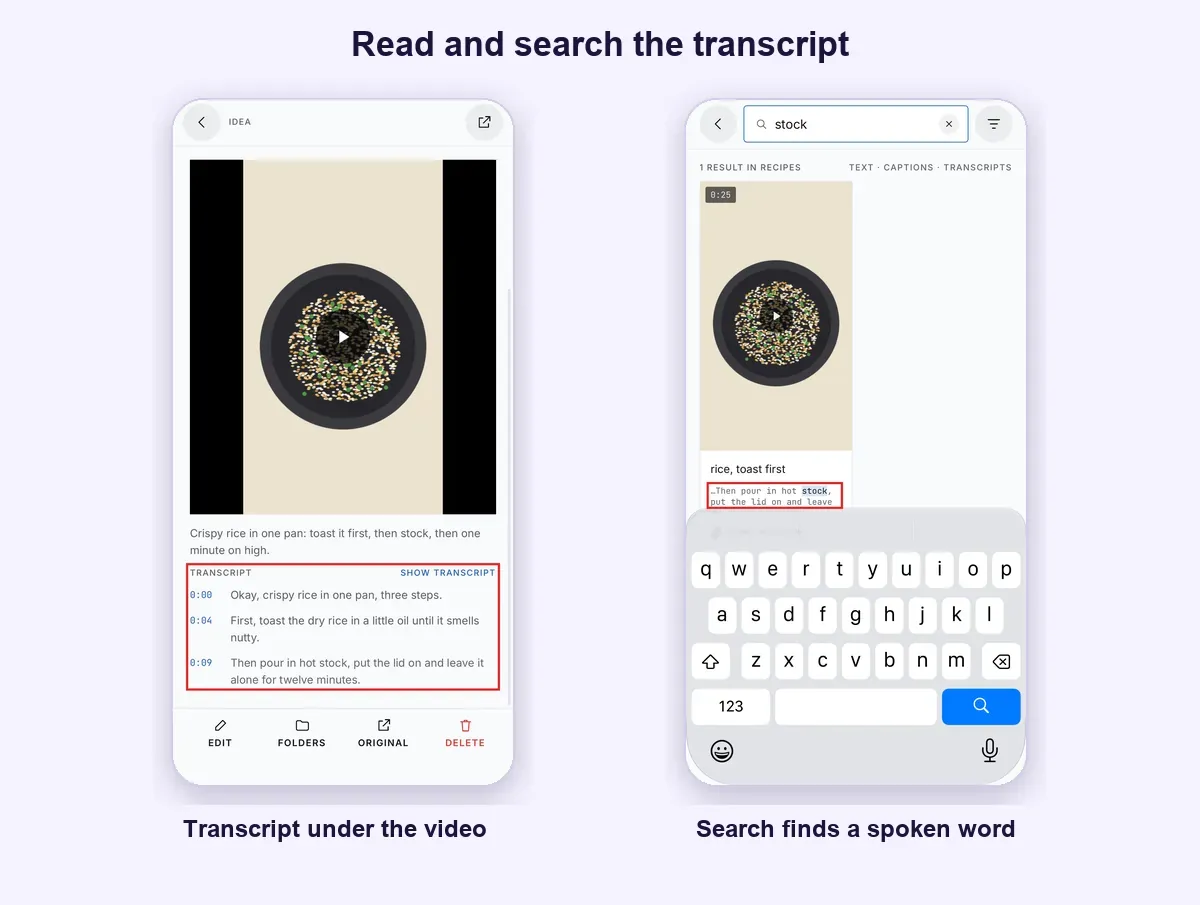
Open the idea. The detail view shows the video, the caption, the source and the transcript underneath, line by line with timestamps. Search on the wall covers transcript text automatically. It combines with the platform filter and folders, so you can search "garlic" within your TikTok ideas in a Dinners folder.
On your phone, transcripts are part of the copy of your ideas kept on the device, so searching them works offline too (offline sync).
Which videos benefit most from a transcript?
Videos where the useful part is spoken:
- A cook reading out quantities.
- A coach explaining a cue.
- A founder describing how they priced a product.
- A quick history explainer.
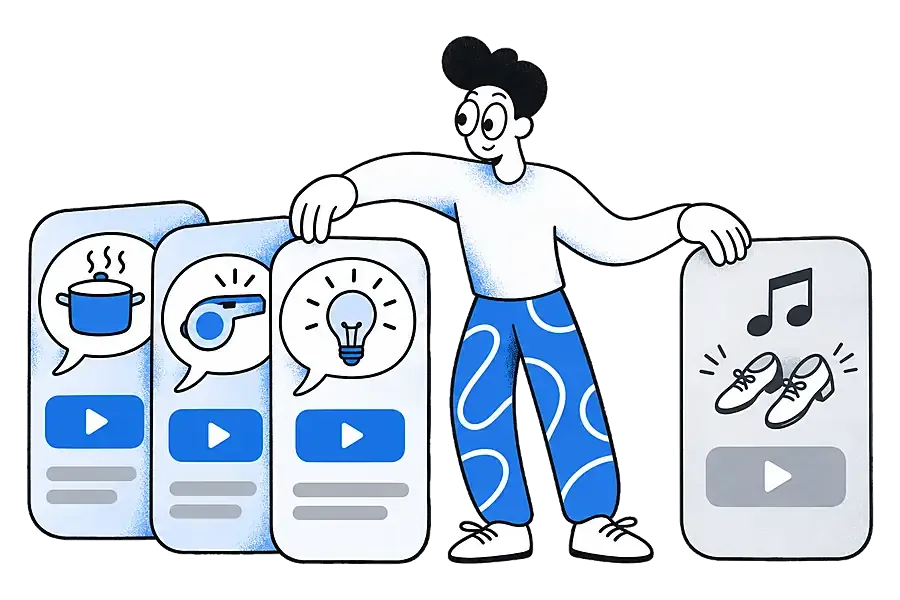
You rarely remember the creator's handle or the day you saved it, but you often remember a phrase. A dance clip or a silent timelapse gains little, because there is nothing to search.
Creators use transcripts as a swipe file of hooks and phrasings: search for an opening line and every saved video that used it comes up, from TikTok and Reels alike.
Is Ideafex a TikTok transcript generator or a downloader?
Neither, strictly. Ideafex is a place to save ideas from any app and find them again. The transcript exists so that search, and your AI assistant, can find the video by what was said.
- It does not save videos to your phone or camera roll and does not remove watermarks. Media it fetches on Pro is shown inside your idea.
- It does not export transcripts as files or subtitles, and it does not write summaries.
- If you need a one-off transcript of a single TikTok to paste somewhere, a standalone transcript tool is a better fit. Ideafex suits you when you save many videos and want to find them later.
What are the limits?
- Pro only. On Free, Ideafex saves the link with a preview and does not download media or make transcripts.
- Best-effort downloads. TikTok and Instagram change and sometimes block requests, so a given video may have no transcript. Private videos cannot be fetched.
- Accuracy depends on the audio. Music over speech, crosstalk, heavy accents or a quiet speaker can produce mistakes, as with any automatic transcript. Clear English speech gives the most reliable results.
- First video only. If a post has more than one video, the transcript covers the first one. A video with no speech has no transcript.
- YouTube is preview only. Ideafex saves YouTube and Vimeo links with a title and thumbnail. It does not download them, so there is no transcript. See video transcripts for the full list.
- Your TikTok account is not touched. Ideafex cannot read your TikTok Favorites or Instagram Saved, and it does not like or comment on anything. Share the videos you care about across.
What happens on the Free plan?
On Free, a shared TikTok or Reel is saved with its link and a preview, and any note you add is searchable. If you upgrade, links you saved recently are fetched for you, transcripts included. If you go back to Free later, transcripts already made stay visible; only new fetches stop. Current plans are on the Ideafex pricing page.
How do TikTok transcripts help your AI assistant?
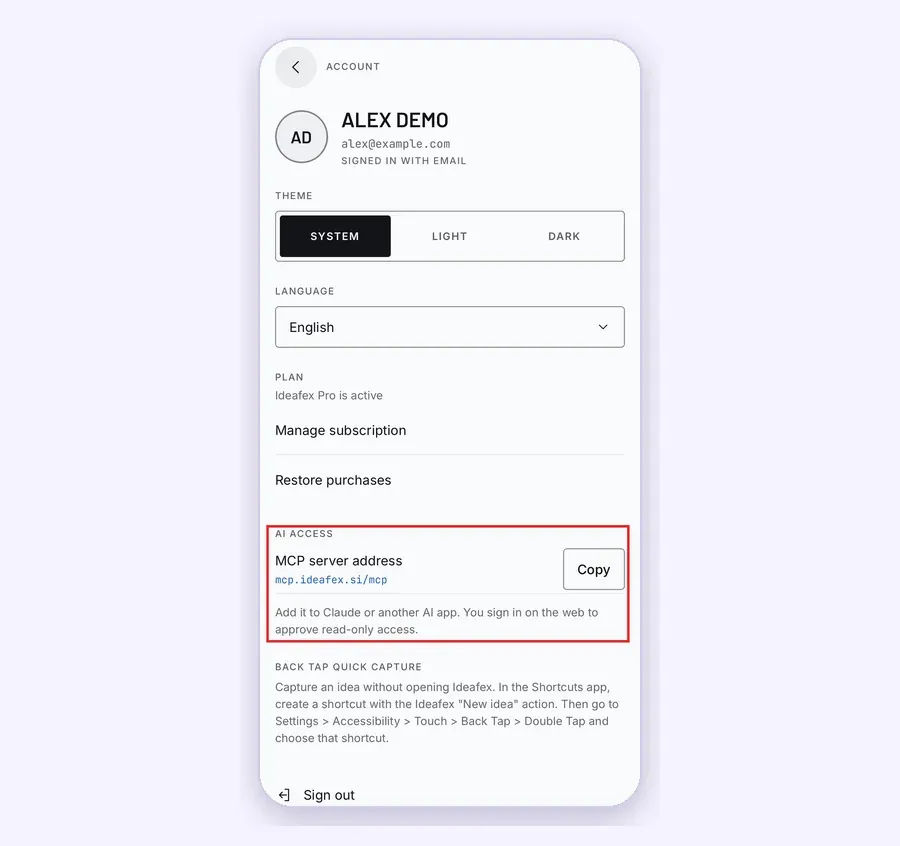
With AI access on Pro (copy the MCP server address from Account), Claude, ChatGPT, Cursor or another MCP-compatible assistant can search your ideas and read an idea with its transcript. You can ask "what did the TikToks I saved say about sourdough hydration?" and get an answer drawn from what was actually said. Access is read-only.
For how transcripts work across every platform, see video transcripts. For everyday saving from social apps, see saving social media posts in one place, and for quick plan answers, the FAQ.
Find a TikTok by one remembered line
Share TikToks and Reels to Ideafex. On Pro, search covers what was said in videos Ideafex can download.


Questions about TikTok transcripts
Yes, on Pro, when Ideafex can download the video. Share the TikTok to Ideafex and the transcript appears on the idea a little later, covered by search. Downloading is best-effort, so some videos have no transcript.
Yes, the same way. On Pro, when Ideafex can download the Reel, it makes a transcript of what was said. Private accounts cannot be fetched.
No. Ideafex does not save videos to your phone or remove watermarks. It fetches the video on Pro to show it inside your idea and to make the transcript searchable.
There is no transcript export or subtitle file. You can read the transcript with timestamps in the idea, search it, and let a connected AI assistant read it.
No. Media and transcripts are part of Pro. On Free, the link and preview are saved and your notes are searchable. Transcripts already made stay visible if you move from Pro to Free.
Save it once, find it later
Save posts, articles and videos from any app to one searchable wall. Ideafex is free on the App Store, Google Play and the web at app.ideafex.si.
Related reading
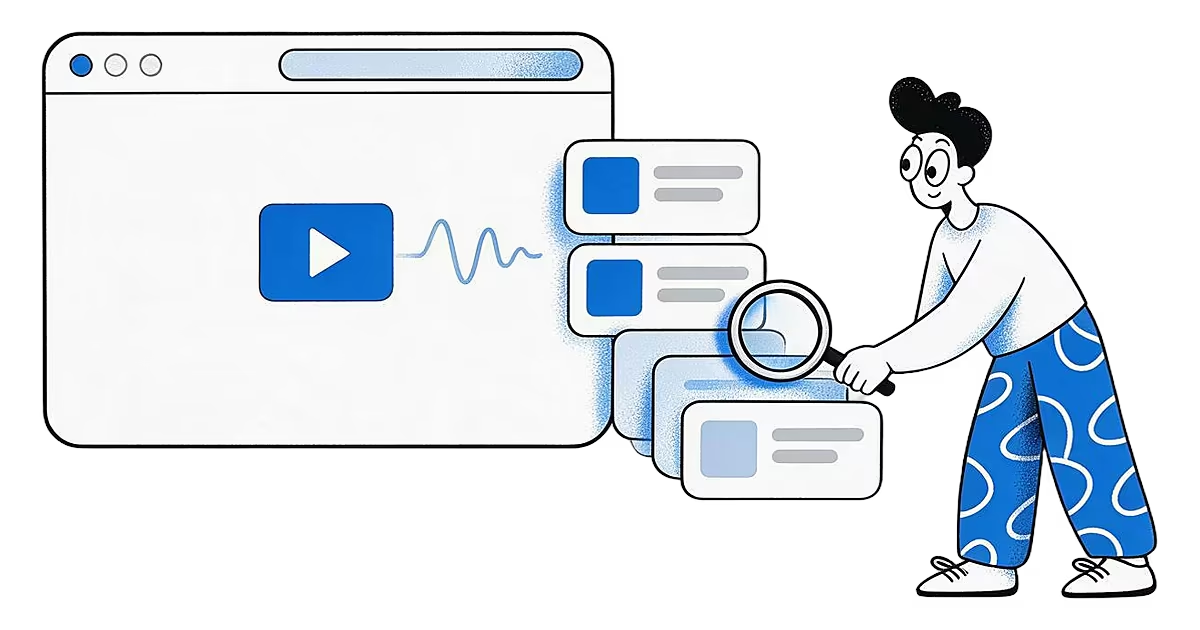
Video transcripts: search saved videos by what was said
On Pro, Ideafex makes a searchable transcript for videos it can download, so you can find a saved clip by a phrase you remember.
Read more →
Save social media posts from every app in one searchable place
Share posts from Instagram, TikTok, X, Reddit or any other app to one searchable wall, then find them again by platform, folder or what they said.
Read more →
Connect Claude or ChatGPT to saved ideas (MCP)
A read-only MCP connection that lets your AI assistant search and read the posts, articles and videos you saved in Ideafex.
Read more →